Withdrawals
Moves available balance to a registered bank account via the dashboard. Here are some go-to steps to initiate a withdrawal process:
-
Step 1 — Navigate to Balances menu
-
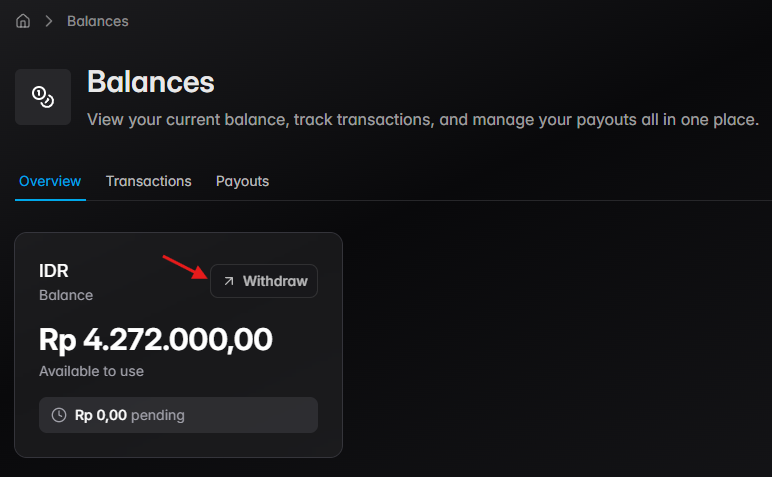
Step 2 — Select the currency with a sufficient available balance, and click on Withdraw
-
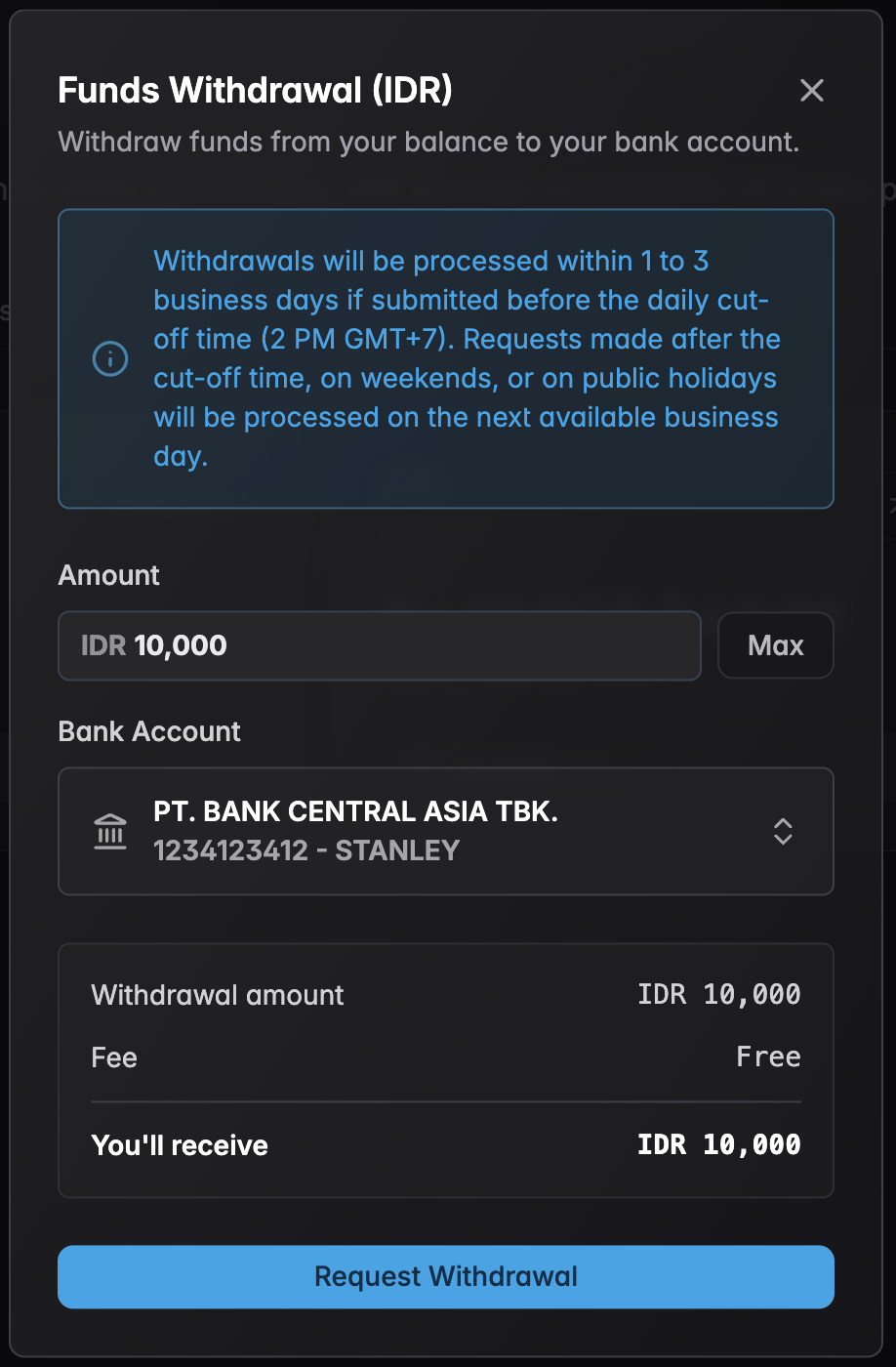
Step 3 — Fill in the withdrawal amount & select the correct bank account to send funds to
-
Step 4 — Confirm the withdrawal request
-
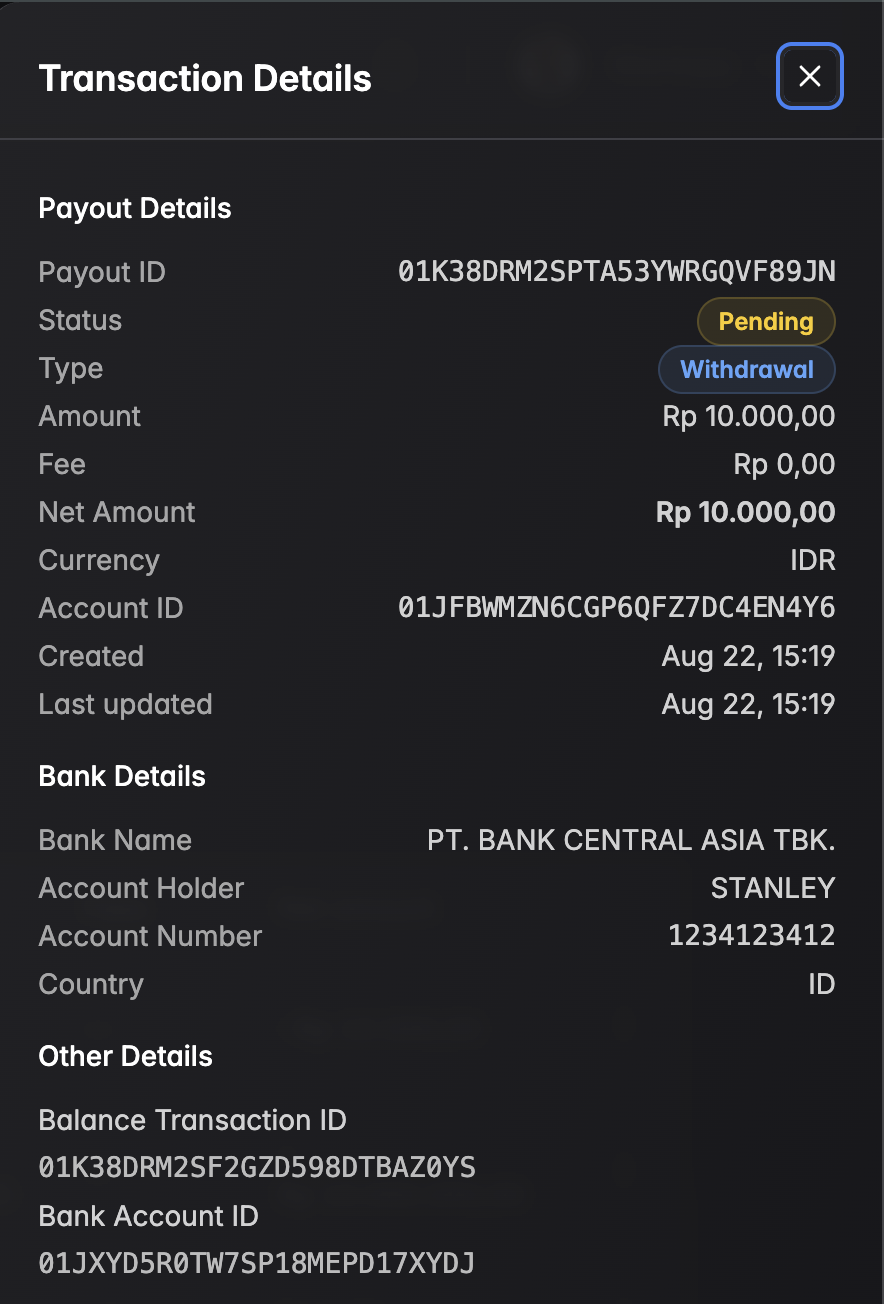
Step 5 — Track the payout status in Balance Reports
Withdrawals currently support IDR (Indonesian Rupiah) only.